Google Pixel 6a Review
Christian Jabasa
July 7, 2023
After four years on iPhone, I decided to finally switch back to Android. I might write about how iOS drove me back to team green in the future. Anyway, onto the review.
Design and Build Quality
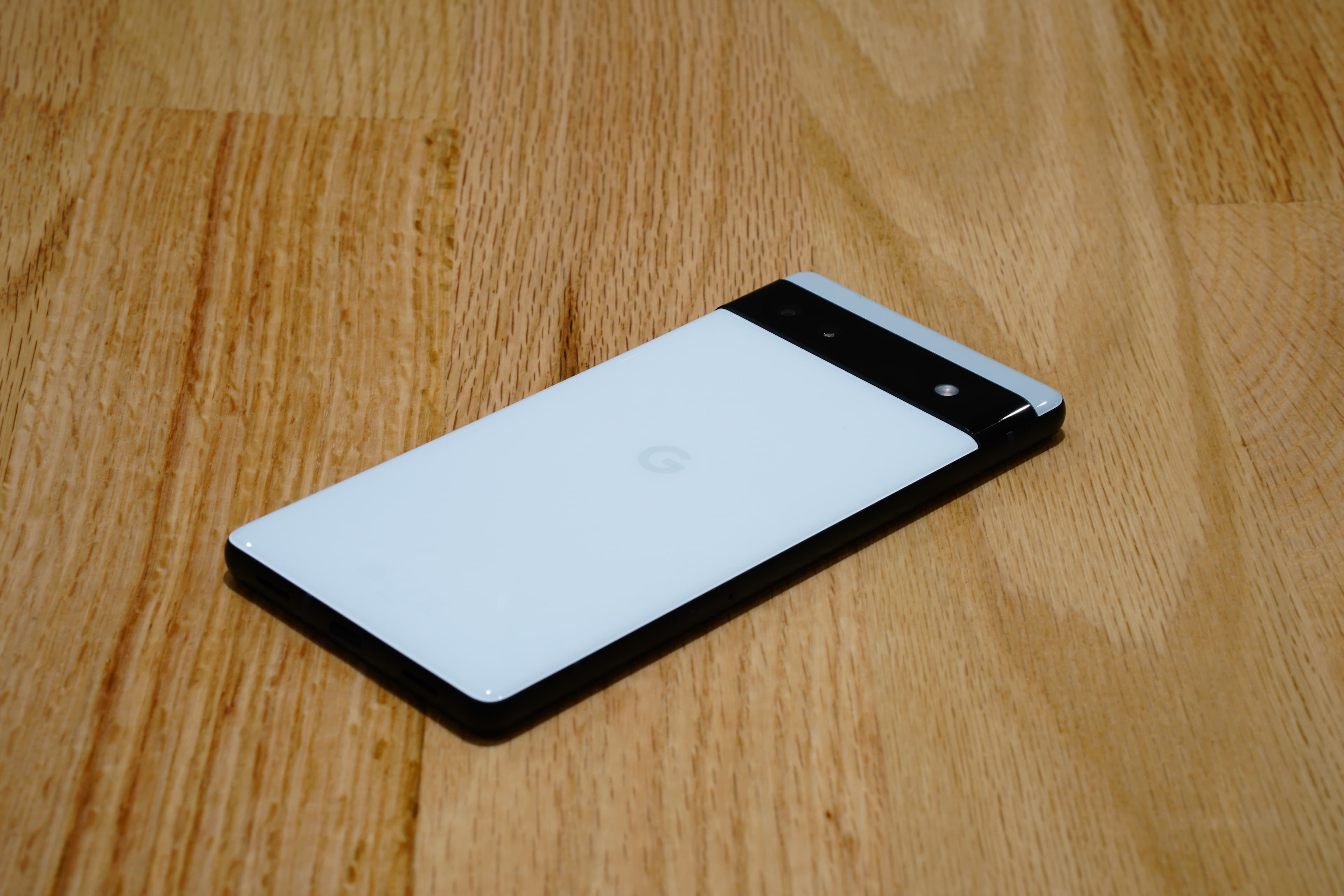
The 6a looks distinctly Pixel like its flagship bothers. I like how utilitarian it looks. The two-tone pastel rear panel is subtle with an understated Google logo dead-center. There really isn’t much to see apart from the visor housing the camera system. The full-width horizontal black strip is really eye-catching. Despite that, it blends the cameras and the flash neatly into the phone. Also, the fact that the camera bump is edge-to-edge is also functionally brilliant since it allows you to lay the phone flat — well, very slightly horizontally reclined — without it rocking around. The back of the phone is plastic but oddly feels like glass so it’s a tad slippery and a bit of a fingerprint magnet. The polycarbonate rear panel is something I actually prefer over glass or metal since it’s sturdier and lighter.
Pixel 6a rocks a very slightly rounded black aluminum frame that gives the handset a premium feel. The finish on it isn’t overly smooth so easy to grip and pleasant to hold. It’s clean to point of looking boring, only interrupted by a couple of antenna lines. Up top there’s a microphone hole, on the left there’s the (single-)SIM tray, below there’s the speaker slits, another microphone hole, and the Type-C port, and then finally on the right are the power and volume buttons. The phone also has IP67 dust and water resistance.
Let’s talk about those buttons. Coming from an iPhone, the Pixel 6a’s buttons are terrible. They are so small and slender that I find them hard to press — a huge departure from the XR’s humungous buttons. The clicking feedback is also a little too hard for my liking and my power button wiggles a bit. The buttons, by far, are the cheapest-feeling part of this phone. Another problem I have are the buttons’ position. Putting the volume rocker dead-center on the right edge is a mistake. I even mistook it for the power button when I first powered the device on. The power button is also slightly difficult to reach with how high-up it is. All it would’ve taken for the placement to be perfect was to have the two swap places.
In terms of dimensions, Pixel 6a is tall and slender. Going from edge to edge isn’t really a problem although reaching the top for notifications when you’re not on the home screen will require hand-gymnastics. It is slightly narrower but also slightly taller than the iPhone XR. Speaking of iPhone, the 6a is also substantially lighter than it despite the numbers only showing a difference of roughly 16-grams. Definitely easier to hold up when you’re lying in bed; your face will take less damage when it inevitably falls.
Good Haptics
If there is one thing that is under-appreciated on iPhone, it’s the Taptic Engine. Good vibrations have typically been an afterthought on Android phones but I’m happy to report that the Pixel 6a delivers excellent haptic feedback. The software makes good use of it too with all the little clicks sprinkled throughout the UI. It is quite impressive to have a vibration motor this good on a midrange device when even some flagships skimp out on it.
Display
The Pixel 6a rocks a 6.1-inch, 20:9 aspect-ratio, AMOLED display with a resolution of FHD+ and a refresh-rate of 60Hz. The screen is sharp, vibrant, and contrast-y. It supports HDR10+ but not Dolby Vision. The screen isn’t fast when compared to the 90Hz and 120Hz display of devices in its price-class but it suffices. I mean, Apple gets away with selling a phone having a 60Hz screen for more than double the price of the 6a. The color temperature is bit warmer than I’m used to but it doesn’t bother as much as the off-axis rainbowing.
Under the display, about 1/3 from the bottom edge, resides the fingerprint scanner for biometric authentication. It is slow as hell and frequently fails recognition. It’s also an optical sensor so it blinds you when you unlock it in the dark. The top-middle also houses a hole-punch cutout for the 8-megapixel front-facing camera.
As far as bezels go, they are pretty thin with the only chin being slightly thicker. The sides aren’t too thin where my grip would register unintended presses while the thicker bottom bezel makes using Android’s navigation gestures a little easier.
Audio
Pixel 6a combines the main bottom-firing speaker and the earpiece to deliver stereo sound; it’s a setup much like the iPhone. However, unlike the iPhone, the 6a’s audio setup sounds weak and thin by comparison. Even with Adaptive Sound turned on, there’s a clear lack of bass and stereo-separation. It gets the job done in a pinch and works well enough for spoken content. The earpiece speaker gets plenty-loud during phone calls.
The Pixel 6a doesn’t have a 3.5mm headphone port. Shocker, I know. I haven’t been catching up with the happenings in the Android landscape so I was surprised to learn that OEMs have begun abandoning it from their midrange offerings. Even Samsung omitted the headphone port from last year’s A53. I’ve said before that using an adapter is clunky and that is still true here. The 6a does support a multitude of (modern) codecs for wireless audio though. My WH-1000XM3 is able to take advantage of LDAC while my TWS1 Pro can use aptX.
Camera
The Pixel line has been known to take amazing pictures and 6a delivers. Sure, the main camera uses an aging 12.2-megapixel sensor but what Google’s post-processing is able to do is nothing short of impressive. Images that come off of the 6a have that distinct, sharp, contrast-y, Pixel aesthetic. Shutter-lag is non-existent, exposure is good, saturation isn’t overdone, and dynamic range is excellent. The camera does, however, sometimes get confused with white balance and tint as it once made an image I took in warm incandescent lighting look too cool with a green cast. It’s a similar story with the 12-megapixel ultra-wide shooter. The 6a also has NightSight for low-light situations but the longer exposure time will mean motion blur on moving subjects.
There’s a good reason why Pixel dominates MKBHD’s Blind Smartphone Camera Test year after year. Oh, there’s also a decent front-facing camera that I couldn’t care less about.


Video, on the other hand, is average at best. The 6a’s primary and wide-angle cameras are both capable of shooting at 4K, 60fps. It does a good job with exposure, contrast, and saturation then combines them all with excellent stabilization. Videos in ideal lighting look good enough but there was a time when I filmed on an overcast day and the resulting footage was super grainy. Audio capture is okay. Video on front-facing camera is capped to 1080p.
My main gripe with the camera is you don’t get what you see on the viewfinder. You will notice this when immediately viewing the photo you’d just taken where the image snaps to life after the Tensor chip finishes post-processing. This isn’t too bad, until you get to Portrait Mode. The lack of a live preview means you won’t know how well it isolated the subject from the background until after you’ve taken the shot. I don’t use Portrait Mode frequently but I will mention it here because the iPhone’s viewfinder experience is what you see is what you get.
Performance and Battery
Google’s in-house-designed Tensor chip is fast. It is, after all, the same flagship chip that powers the more expensive Pixel 6 and Pixel 6 Pro. The day-to-day experience on the 6a is great as expected: the Android interface itself flies while scrolling through something like Instagram is smooth. YouTube, even in 4K, is a cakewalk thanks to the built-in VP9 and AV1 hardware-decoding. The 128-gigabytes of non-expandable UFS 3.1 storage is also zippy but having only 6-gigabytes of RAM means multitasking takes a bit of a hit.
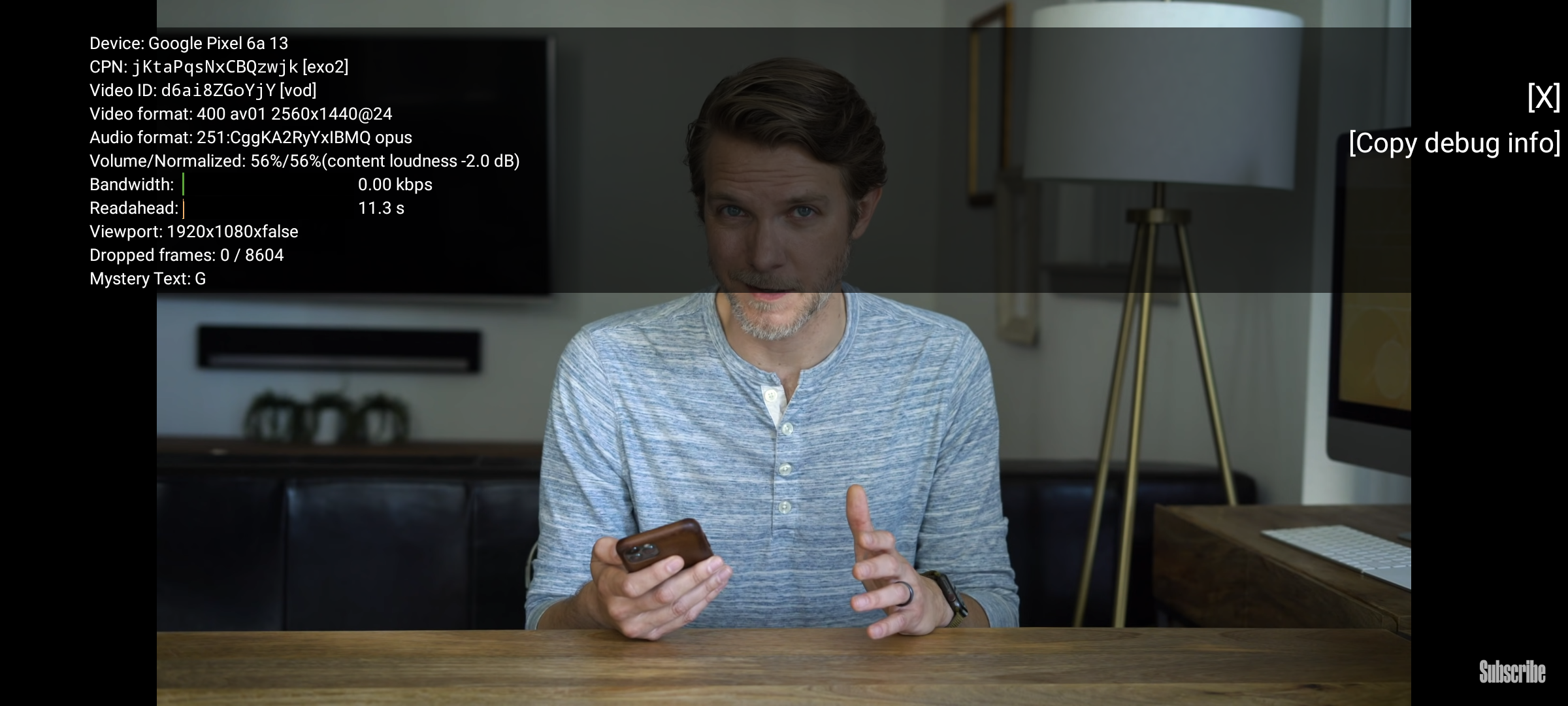
But all that performance comes at a cost. The Tensor chip isn’t the most efficient SoC in the game so the phone heats up like nobody’s business especially when running compute-intensive apps like the camera — or even installing software updates. I haven’t gotten it to overheat yet but I do find it becomes uncomfortable to hold when it starts to warm up, especially the metal chassis. It reminds me of Apple’s tuning and thermal management occasionally turning the iPhone into a hot slab of aluminum.
The Pixel 6a ships with a relatively large 4410-mAh cell but the aforementioned (in)efficiency hamstrings it to a single day of endurance. 4.5-hours was longest screen-on time I could eke out of the phone. With ambient compute features like Now Playing and Assistant enabled but the always-on display disabled, the standby time I get is decent. Charging takes between 90 to 120-minutes. Wired charging over USB-C PD is capped to 18-watts while Qi wireless charging is absent. 18-watts is slow in today’s fast-charging landscape but I’m okay with it because it limits heat build-up in the battery while wireless charging is something I can live without.
Software
Google’s version of the Android experience is very bare but it is this no-nonsense approach to software that drew me to Pixel. The 6a just comes with the essentials: no Bixby, no App Market, no antivirus-storage-cleaner-memory-optimizer-bullcrap. I do not want my new phone to come with Facebook pre-installed, Samsung. The Pixel experience does lack some quality-of-life features built into other OEM skins like double-tapping on the home screen to lock the phone. Even the iPhone’s system-wide tap the status bar to scroll to top is something I miss.
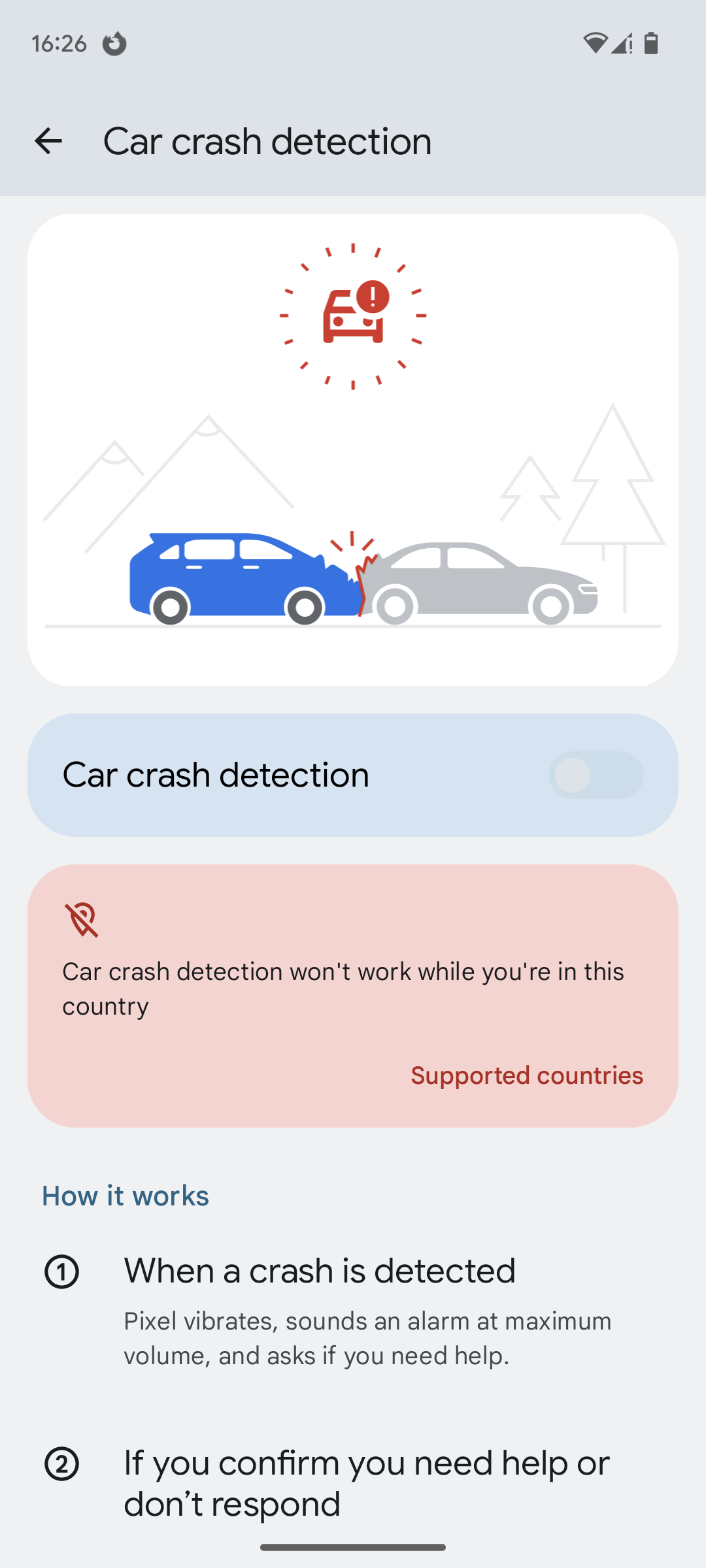
But then there are the Pixel-exclusives. I’ve already talked about the camera earlier so I won’t talk about it here again, though the Google Photos app on the Pixel will let you use paywalled filters and tools. There’s Now Playing which recognizes songs playing in the background even the phone is locked and offline. It’s quite neat. The Recorder, meanwhile, isn’t something I can fully take advantage of since, well, I live in the Philippines. In fact, most of the Pixel’s headlining features are virtually useless here. Call Screening, Live Transcript, and Car Crash Detection? Forget about ‘em. I knew this before purchasing the phone so it doesn’t bother me too much. It’s just a shame having all that on-device intelligence go unused.
When it comes to software support, Google is supposed to be the king. But, no. Samsung supports their phones for longer* than the current makers of Android themselves. Samsung promises four-years of major OS updates and five-years of security patches while Google offers major OS updates for three-years and security patches for five-years. Granted, not every handset in Samsung’s portfolio are part of that commitment. Where the Pixel wins is in how quickly those updates get to your device. So when a new version of Android or security patch is released the Pixel is first in line for it whereas you’ll likely be waiting a while for, say, Oppo to rollout their updates. OEMs, however, have significantly stepped up their software update game so the gap has narrowed since.
Conclusion
The Pixel 6a offers a class-leading camera, flagship performance, and super-smart software at an excellent value. Sure, it has quirks of its own and build quality is mediocre but the overall package is competitive. It is clearly an experience known only and sought after by few, but for those people there’s nothing quite like Pixel.