Nothing Phone (2a) Review
Christian Jabasa
December 11, 2024
As someone who lives in the Philippines, it is hard to find an Android phone that fits my software needs. While you can find Pixel phones being sold at some shops, they come at the expense of a warranty so you’re kind of screwed when something goes wrong with your device. My Pixel 6a hasn’t really had any major issues but I just couldn’t pull the trigger on a Pixel 9 knowing I’d be on my own should something happen to the phone. Hardware and software issues are, after all, par for the course with Pixel — if users on r/GooglePixel are to be believed. Samsung would’ve been my only real choice in a market dominated by Chinese OEMs like BBK and Transsion. So I’ve been eyeing Nothing ever since the Phone 1 came out in 2022 and luckily the company’s products are available on Digital Walker so I picked up a Phone (2a).
Design & Build
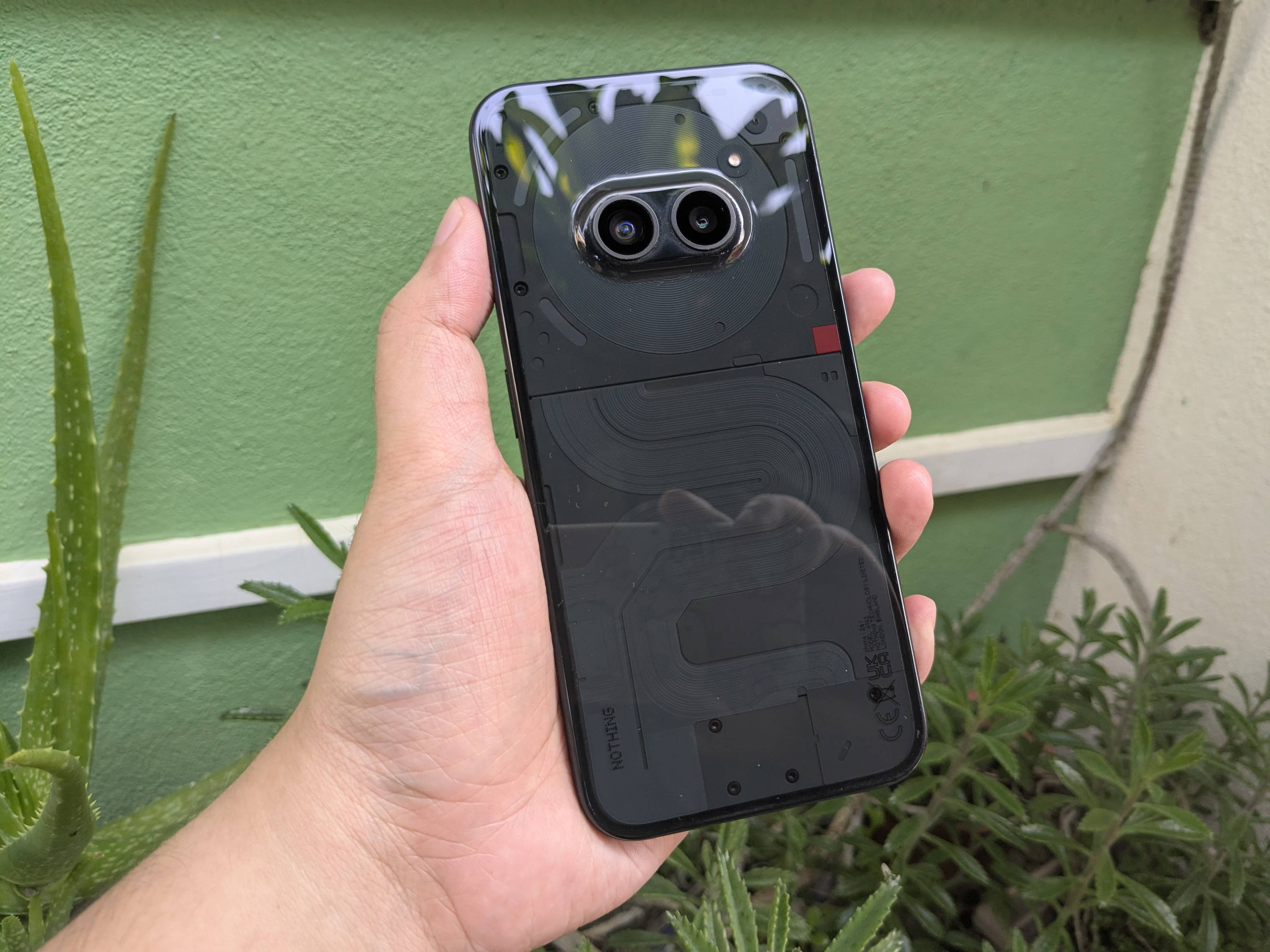
The Phone (2a) brings Nothing’s whole see-through design shtick down to the midrange. Plastic is the material of choice for the chassis and back panel resulting in an ultra-sized device that is pretty light at 190-grams. The chassis has a lightly-textured finish while the back is a smooth but slippery affair. There’s a lone power button on the right while the volume buttons flank the left. Both are positioned slightly above the middle where they’re easy to reach and they do not feel pleasant to press. Maybe it’s because of the flat edges but I feel like they aren’t raised enough or if the feedback is just mushy. I hate how the flat edges dig into my hand and the absence of contours combined with the device’s size and material choices make the (2a) cumbersome and slippery. The lack of any curvature on the display glass also makes Android’s navigation gestures an ergonomically unpleasant experience. The Pixel 6a got this right by having gently rounded edges and what would appear to be 2.5D glass over the screen.
Up front, the flat 6.7-inch display is surrounded by pretty thin bezels and a hole-punch cutout at the top-center for the front-facing camera. The screen is covered by Gorilla Glass 5. Going back to the bezels quickly, I will point out that they’re actually symmetrical. The chin is usually thicker than the rest of the sides on devices of this price-class but not on the (2a). The center-aligned selfie-shooter doesn’t have the annoying white outline found on some of its contemporaries. About an eighth from the bottom is the under-display optical fingerprint reader and I don’t like how low it is on the screen. It performs just as well as optical sensors do: it works about 85% of the time and barely at all when my sausage fingers are sweaty and it still blinds me when I try to unlock my phone in the dark.
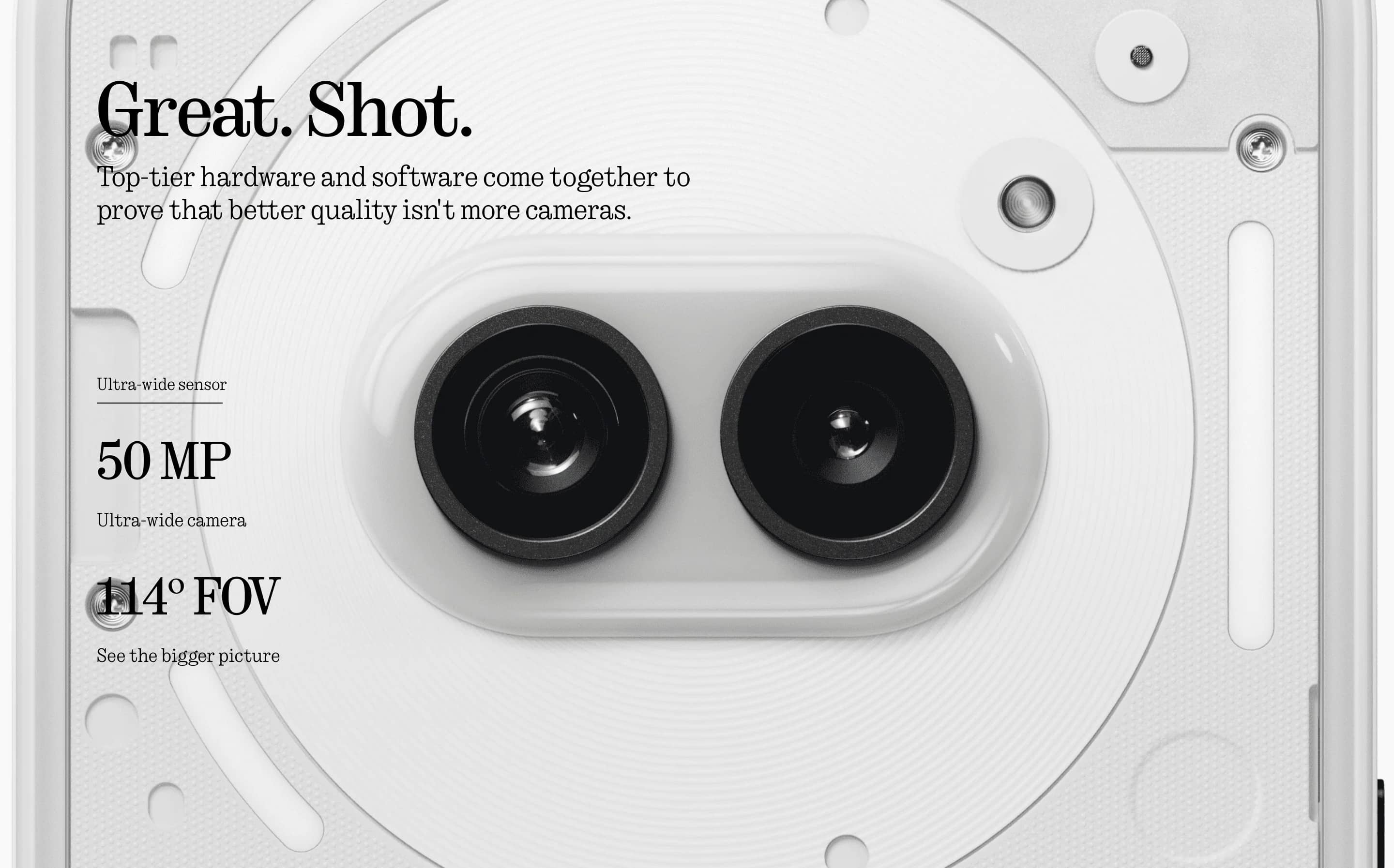
The glyphs are more visible on the black variant when they’re lit up while the coil, red square, exposed screws are harder to notice. The latter three are a mix of functional and cosmetic components and are more apparent on the lighter-colored variants. The white version of the (2a) was certainly the one I would have gotten had it been available since the design stands out more. Apart from the Glyph Interface, the most noticeable aspect of the Phone (2a)‘s back is on the top-middle inside the circular NFC coil: its cameras. On the black variant, they aren’t as apparent but Nothing says they’re meant to be like eyes. Sure, they’re eyes; whatever. What I like is that the hump is on the center like my former 6a. It may not be the camera bar that Pixels have but I found that it’s enough to keep the (2a) from rocking side-to-side when you’re using it on a flat surface like a desk.
Display & Sound
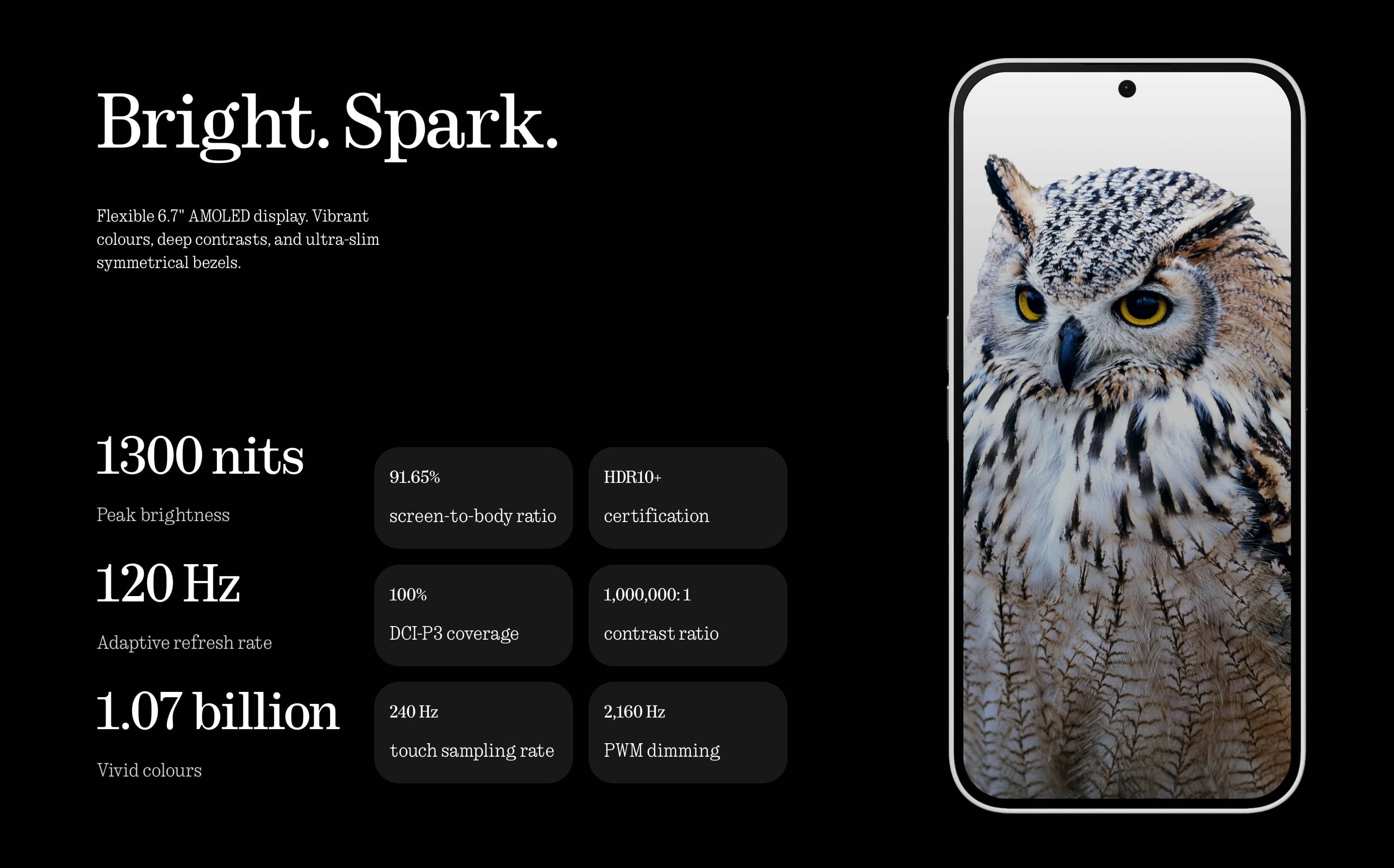
The Phone (2a) has 6.7-inch Flexible OLED screen with a resolution of 1080x2412 pixels and a refresh-rate of 120Hz. The FHD+ resolution on a display this large does lower its pixel-density but it is still really sharp.
By default Nothing OS sets the display mode to Alive but it can easily be set to Standard. Alternating between both should yield a difference but my eyes struggle to tell differences in color temperature or saturation. Speaking of color temperature, there’s also a slider that lets you lower or increase it. Honestly, I’ve just left it at Standard since setting up the day I got it and never looked back. Now, I have no idea how well it covers the sRGB color gamut or the delta-e’s but, to my eyes, the display looks balanced.
Brightness outdoors isn’t great but it’s serviceable; 1,100-nits is the High brightness mode number on the spec sheet. Phone (2a) supports HDR10 but only on YouTube, for some reason. You’ll be stuck with SDR on Netflix but at least it’s able to stream in FHD thanks to the L1 Widevine certification.
Moving onto refresh-rate: it’s set to Dynamic out-of-the-box so it changes depending on what you’re doing. It’s not LTPO so it isn’t as variable. Nothing OS lets you enable Always-On Display on the (2a) but standby time takes a hit due to the screen’s inability to use a slower refresh-rate.
Camera
Coming from a Pixel, I was prepared to be disappointed with the (2a)‘s cameras. While that is true, it does pass my threshold of acceptable. Images look over-processed and are often over-exposed with crushed shadows. Sharpness is good and saturation appears to be tame. This is case for both the main and the ultra-wide sensor. You will get serviceable images most of the time while occasionally capturing incredible shots. I did notice that plane of focus is very thin when photographing subjects at close distances after once taking a photo of a document and seeing that only the center part was in focus.
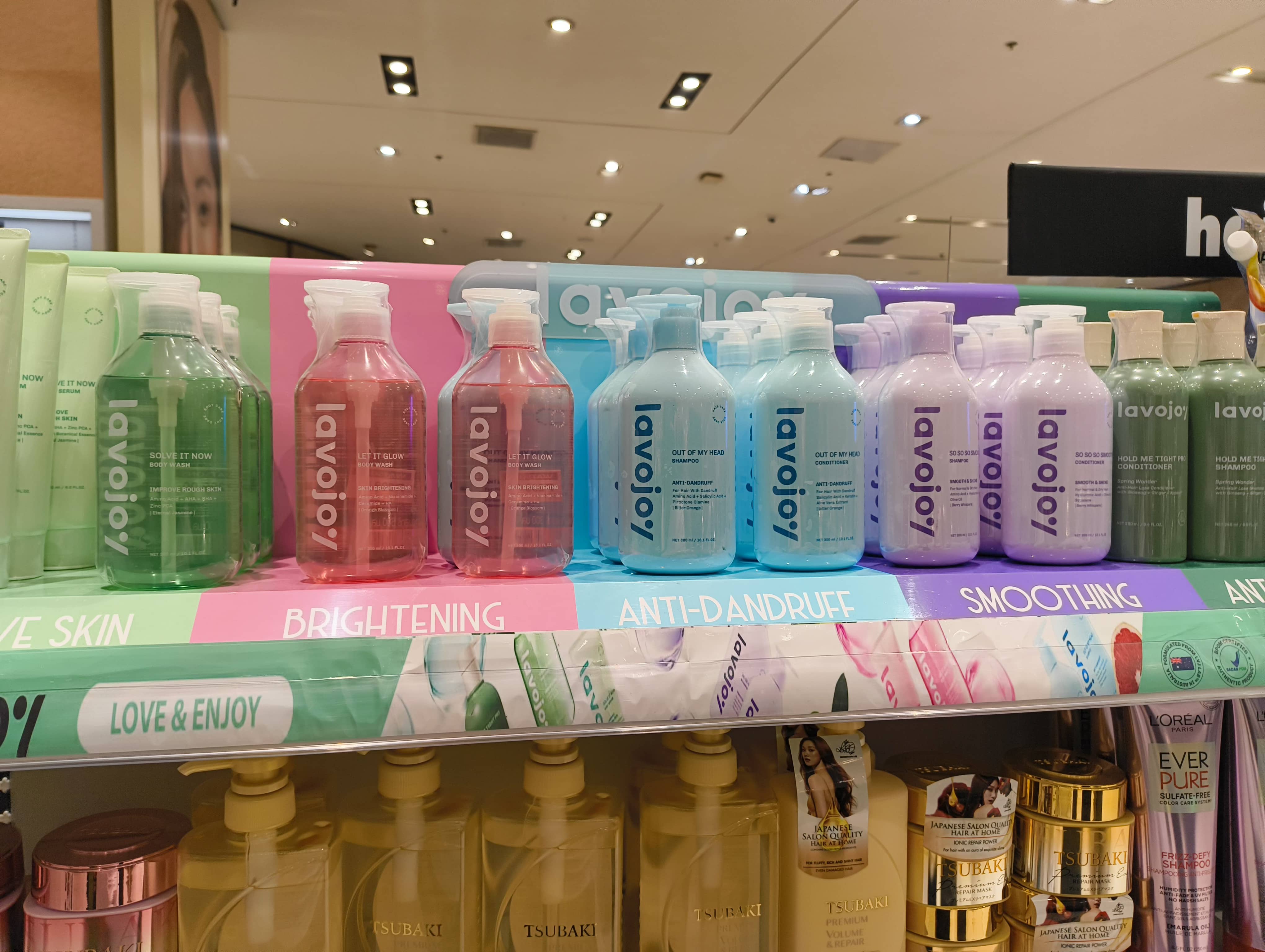
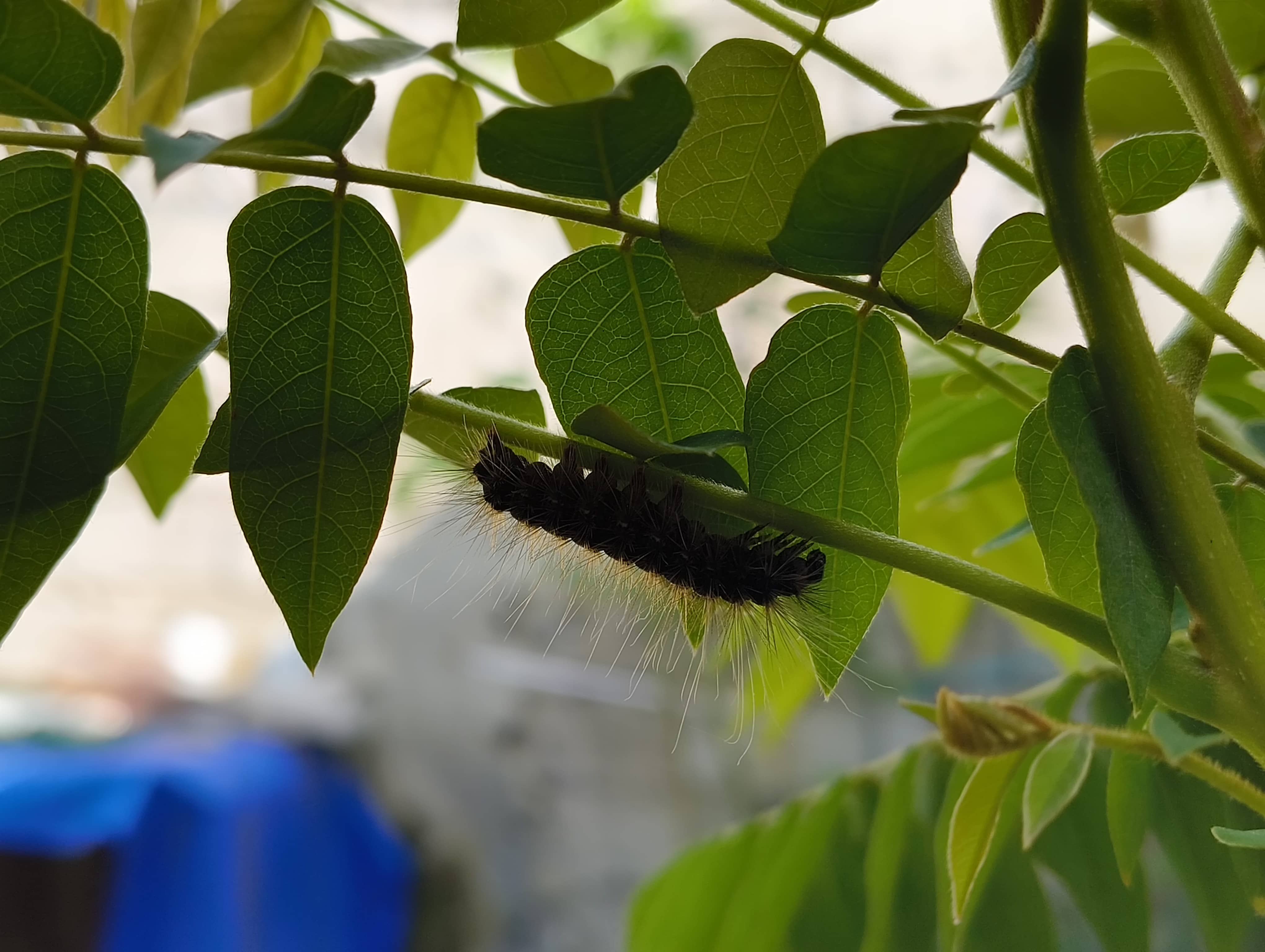
Night Mode is something the (2a) has but it’s just terrible. Frankly, don’t even think about taking photos where there isn’t a ton of light because the images you’ll get will be grainy and blurry. The Samsung sensor isn’t that robust and the Dimensity 7200 doesn’t have the processing chops.
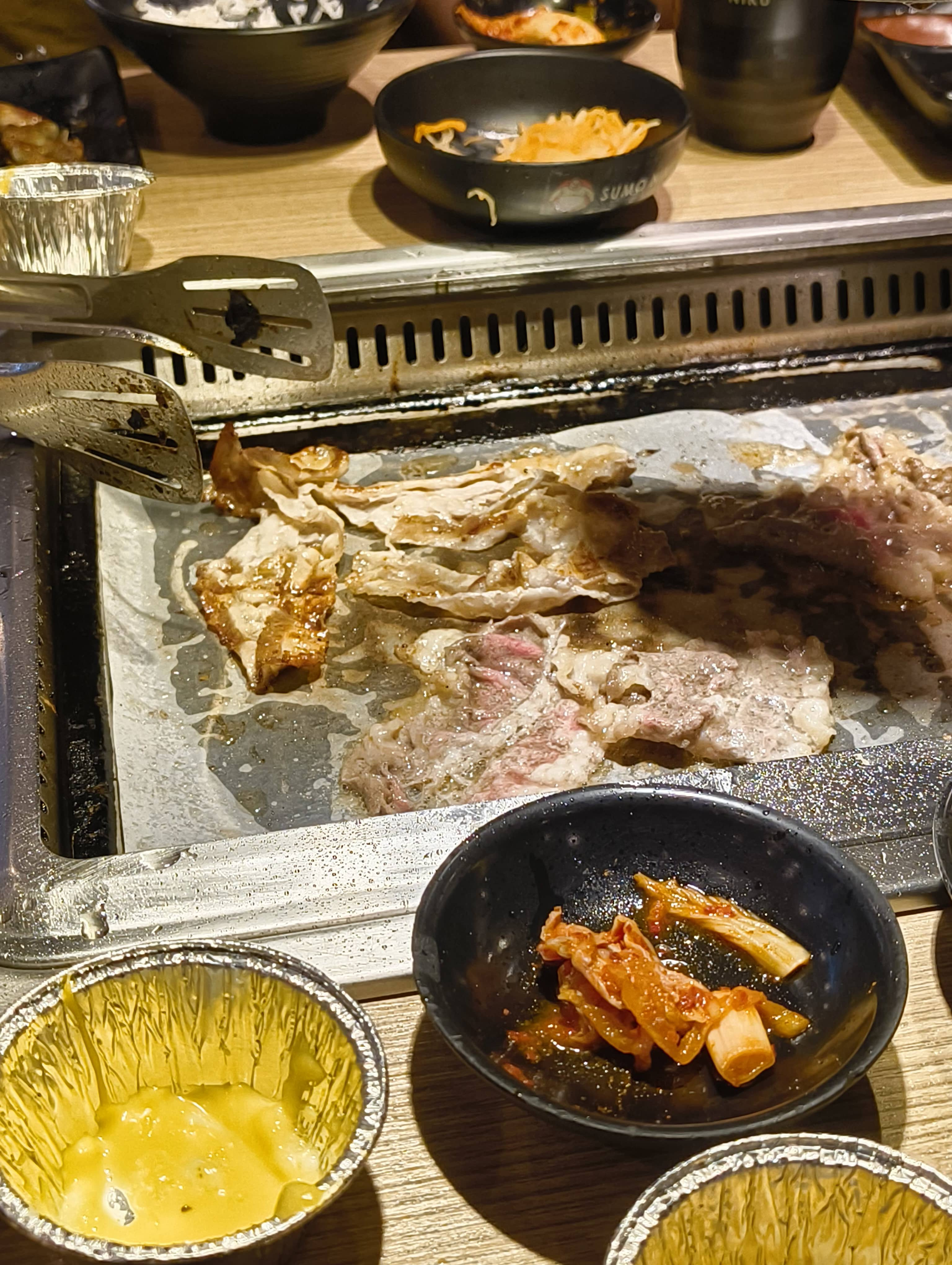
There’s also Portrait Mode which… works. I never use it for obvious reasons: if flagships are having a hard time doing it right, you just can’t expect a midrange handset to deliver spectacular results. Phone (2a) supports Ultra XDR but I turned it off after playing around with it. I don’t like having my eyeballs seared when I come across one when I use my phone in bed, after all. Apps like Instagram and Google Photos support uploading and displaying photo with embedded Ultra XDR metadata.
The Camera app takes a while to open from a cold start, shutter-lag is noticeable and image processing is really slow. Saving images in modern formats such as HEIF or JPEG XL also isn’t a thing because Google is too busy shoving WEBP down everyone’s throat.
Video is predictably mediocre. While you can shoot in 4K at 30fps and the stabilization is confident, footage is simply average, exhibiting all the same characteristics of its stills counterpart. It’s still within expectations and it does get the job done for what I need it to. I’d say the Phone (2a)‘s video performance is like the iPhone 6S from 2015, but worse. Even now Apple’s near-decade old handset’s viewfinder never lags and its video never drops any frames, which something I couldn’t say about (2a)‘s. I will note that like said iPhone 6S, the (2a) supports saving video in the more efficient h.265 codec. Apple was and still is just so far ahead of everyone in the video department.
Going right back to the black point issue: I don’t exactly know what’s going on with the (2a)‘s image processing here. The camera often destroys the shadows of the photos I take. It’s nothing a curves adjustment couldn’t fix but it shouldn’t be happening in the first place.
Oh, you wanted to know what I thought about the front-facing camera? It’s got a 32-megapixel sensor but don’t let that number fool you because it takes bad selfies. No, I don’t care that it’s bad.
Software
Google Rant
Nothing’s take on Android is better than Google’s because Nothing OS lets me double-tap on an empty area of the homescreen to lock the phone! Pixel UI is good but it’s just too barebones.
Well, uh… there’s more to it than that.
Google has a knack for shipping buggy OTAs to their phones and now my (and many others’) Pixel is performing a lot worse. It don’t know if that’s actually the case or if my eyes had just gotten so accustomed to the Phone (2a)‘s high refresh-rate display but Android 15 on my 6a is a stuttering mess. The 6-gigabytes of memory and first-generation Tensor SoC might also just be having trouble keeping up with the demands of 2024 software. Another huge bummer is that nearly all of the exclusive Pixel features aren’t available here in the Philippines and this is also true for hundreds of other countries. Those exclusive features also tend to make their way into other devices after some time. So, yeah; what a riot.
At the time of writing, Google has officially extended software support for the Pixel 6 family of devices to five years of major OS updates up from three. While this is excellent news, it’s hard to be optimistic given how bad the quality of the updates have been.
Nothing OS
Anyhow, let’s talk Nothing OS. At the time of writing, my Phone (2a) is on version 2.6 with the October 2024 security patch.
The monochrome theme is what most people associate with Nothing OS so that’s what we’ll start with.
Onto the home screen. Widgets, in particular. There a bunch of them included and they’re well-designed as well as fully-interactive. They follow the Nothing OS design system despite the variety of fonts they use. The red accent reminds me of earlier iterations Oxygen OS on OnePlus devices, but you know, mochrome. The widgets range from something simple like a Date widget to something more fully-featured like a News Reporter. However, my favorite has got to be the Quick Settings widget which let you toggle things like Do Not Disturb or mobile hotspot straight from the home screen. I used to never use widgets on my Android phone but the widgets on Nothing OS just demand that you add them to your home screen. I have several on mine and they’re just there because I think they’re pretty to look at.
The default launcher offers the choice of using the default icons or using Nothing’s monochrome icons. The icons on the home screen are larger than on the app drawer and the labels are hidden by default. I think it looks great like this but it does make finding the apps you want to use harder. Say what you will about muscle-memory but the absence of color really messes with my brain. Nothing says this is in order to make you use your phone less but this is an inconvenience just cannot deter me. At the very least it’s a damn good-looking inconvenience. Out-of-the-box, it won’t cover all the app icons but you can download the Nothing Icon Pack from the Play Store so that a grayscale filter will be applied over the app icons that aren’t themed. As one might expect, these masked icons don’t look as good as the ones designed from scratch but it does fix the issue of having clashing app icons. And while we’re here, I will mention that the default launcher actually supports any third-party icon pack so you have to go with Nothing’s. The persistent Google search bar below the dock can also be removed.
Nothing Launcher’s app grid defaults to four columns, which is what the widgets are designed to look best at. You do gain additional space by removing the Google search bar and lose said space when you enable icon labels. With the default configuration, the app icons on the home screen are larger than those in the app drawer but it just stopped bothering me eventually. They do become uniform with labels enabled but you have issues with the widgets’ consistency. I gave up the information density for something that looks this nice.
Nothing OS ships with a few wallpapers but supports creating your own using generative AI, albeit with a limited number of (pre-defined) parameters. The results leave a lot to be desired. Personally I’d just head on over to Unsplash or Backdrops to download wallpapers made by actual people. I like how the launcher turns off wallpaper scrolling by default since I never really like that. You can also apply a glass effect to your lock screen and home screen wallpaper. Atmosphere is something I use for certain wallpapers; for those that are visually busy. Essentially it converts your home screen wallpaper into a gradient of sorts with added grain when you unlock your phone. The transition is quite satisfying to watch and improves the visibility of your (Nothing-themed) app icons and widgets.
The App Drawer
The app drawer is pretty standard stuff. You can hide app icons by swiping to the left but this doesn’t isolate the apps themselves like Secure Folder on One UI.
Quick Settings and Notifications
The notifications tray is pretty close to what’s found on Google’s Pixel UI. You’re greeted with six quick-settings tiles instead of four but I think this is actually brilliant because your notifications get pushed to the bottom where they’re easier to reach. Pulling that drawer a second time reveals another thing that I find annoying: the two top-most tiles take up two rows, are persistent, and cannot be changed. You’re seeing eight tiles only six are paginated. The toggles for Wi-Fi and Mobile Data have also been grouped. Now I don’t know if people who live in other countries just never turn off their mobile data since I also found myself in a similar situation during my time with Pixel and even the iPhone: the Pixel UI and iOS just makes disabling cellular data more convoluted than it needs to be. These two toggles should be separate. The brightness slider is also only present in the expanded state so making adjustments will require more swipes. I will mention that auto-brightness works well enough for me so I rarely have to meddle with the slider.
I see no issue with it and will gladly take it over Apple’s or Oppo’s or Xiaomi’s implementation.
Lock Screen
There’s a not a lot of lock screen customization in Nothing OS 2.6. Apart from the shortcuts, you can add a limited number of first-party widgets to a small area in the middle of the lock screen. I never added widgets to mine and likely never will though some will find utility in this.
The ndot font’s legibility also isn’t great at smaller sizes, making the date and the alarm text are very hard to read. The typeface doesn’t play nice with busier wallpapers as well.
System Features
Nothing OS 2.6 doesn’t have a lot of features but I really don’t see any functionality here that are, well, distinctly Nothing. Apart from the Glyph system (that I never use), all of the features here like Floating Window or Dual Apps (both of which I also never use) can easily be found elsewhere. Hell, it doesn’t have a proper App Lock or Private Space like I had said earlier. One could argue that the Launcher, Icon Pack, and Widgets are features but I can’t help but want something beyond these. It’s only been a little more than two years since the Phone (1) came out with the first iteration of Nothing OS so I hope that Carl and the gang are working on some good ones.
Oh, and I really do miss Now Playing on the Pixel.
Pre-Installed Apps
Nothing OS 2.6 is a breath of fresh air. There’s just a not a lot of pre-installed apps on here! The setup wizard doesn’t make you download anything. Sure it comes with apps you might never use like Google TV or YouTube Music but as far Android skins go Nothing OS falls on the tamer end of the bloatware spectrum.
Weather App Rant
I use the preinstalled weather despite the absence of one very important feature. Nothing, where’s my precipitation percentage? For a company based in London this sure is a bizarre omission. AccuWeather’s data is also fairly inaccurate for my location.
Performance
The Dimensity 7200 Pro from MediaTek is what powers the (2a) and Nothing says that said SoC is co-engineered with MediaTek specifically for it. Marketing-speak aside, the 7200 Pro is actually pretty cutting-edge since it’s made on TSMC’s 4-nanometer node. This likely contributes to its power-efficiency and the fact that makes use of ARMv9.0-A cores. Nothing made the right choice here because I have seen worse SoCs on cellphones more expensive than the (2a).
Opening apps is fast and multimedia consumption is smooth. A 30-minute Reels binge on Instagram, while not always stutter-free when transitioning from one Reel to the next, was generally a pleasant experience. 4K videos on YouTube play back smoothly, although I did notice that some 60fps videos on, even at 720p, stuttered during playback. I never did check the Stats for nerds, but I suspect the frame-drops happen when videos are encoded in AV1, which is a codec that isn’t hardware-accelerated on the Dimensity 7200. Besides those, the Phone really only ever hiccups severely when opening camera app, taking a photo, then leaving and returning to the home screen. Oh, the Shopee app is very laggy but I’d attribute this to poor optimization on Shopee’s end.
I have the 8+128 model because the 12+256 wasn’t available at the time of purchase. While the latter is what I suggest getting if you intend to pick up a (2a), the 8-gigabytes of RAM and 128-gigabytes of storage combo gets the job done for me today and will likely be fine for the next three years. My phone use isn’t that demanding and I store a lot of my stuff on the cloud. Yes, the 8-gigabytes of memory means that Android will terminate background apps more readily but the OS itself doesn’t use a ton of RAM so at least it leaves more for apps. I will note that RAM Booster was on by default but knowing that memory extension is a lie, I turned it off. The internal storage uses UFS 2.2 which isn’t the fastest thing there is but apps do open reasonably quickly even from a cold start. Apps that were notably slow to open are the Camera and the Gemini assistant.
Battery
Battery life on the Phone (2a) is excellent. The 5000-mAh cell is able to last for a day and a half with light to medium use and if you really go easy on it you can likely stretch it to two-days. I am consistently getting more than seven-hours of screen-on time but never quite getting past the eight-hour mark. Missed notifications were few and far between since the OS isn’t too aggressive with jettisoning background processes. I did observe that the Facebook and Instagram app ran in the background for an extended duration despite selecting the Restricted option for both and the reduction in stand by time was noticeable. I have no idea if the OS isn’t able to suspend these two in a deeper state or if Meta just doesn’t bother with optimization.
The phone doesn’t come with nonsense like a storage cleaner and a RAM booster and a battery optimizer, which is good news. The Nothing OS 2.6 update also added the ability to pause charging when the battery reaches one of three pre-defined percentages — 70% to 90%.
There is no wireless charging but you can it top-up with a PD 3.0-compatible charger which can handle up to 45-watts. While I’ve never had a charging port fail on me, having Qi charging would have been a great fallback. But I digress. It takes an hour-and-change to go from empty to full. I like how Nothing chose to not build a new proprietary charging protocol and just stuck with USB Power Delivery.
The cellular modem on the Dimensity 7200 Pro is also pretty efficient so using mobile data doesn’t really drain the battery too quickly nor does it warm up the phone. I noted this specifically because the cellular and mobile data experience on the Pixel 6a was horrible. Not only did the Samsung modem on the Tensor chip not support the 5G bands here in the Philippines, it also drew a ton of power which made the 6a uncomfortably warm. Fun fact, I was also considering getting the Galaxy A55 but I was turned off by the Exynos chip powering it.
As mentioned earlier in the Performance section: the SoC doesn’t support AV1 hardware-decoding. This means that a Reels binge of Instagram will use software-decoding resulting in higher power consumption. Same goes for some AV1 YouTube videos though the majority will use the hardware-accelerated VP9. The (2a) doesn’t seem to heat up as much and discharge as quickly during a TikTok binge so I assume they’re either just using h.264 or VP9 for their videos. I did observe that videos on TikTok looked worse than on Instagram and YouTube.
Conclusion
I like the Nothing Phone (2a). It’s a simple no-nonsense device that, while short on features, stands out in a sea of all-too-similar rectangles. Its camera isn’t the best and it’s made out of plastic but the competent SoC coupled with the lean software results in zippy day-to-day experience on its fast and vivid screen. It nails the fundamentals so well for me that I’m starting to question why anyone would even want to spend more than Php. 20,000.00 on a freaking cellphone.